



Smarter Global E-commerce Starts with Trust.
Connecting businesses and consumers with reliable technology products, verified global suppliers, and seamless
cross-border E-commerce all in one intelligent ecosystem.


Top 20 Best Sellers
Collections
Efficient scanners for quick and accurate document processing. Enhance your productivity with our cutting-edge scanning technology.
Portable, powerful, and versatile — experience seamless work, play, and creativity on the go.
Portable, powerful, and versatile — experience seamless work, play, and creativity on the go.
New Arrivals
Find Your Perfect Match
We've handpicked our top models so you can compare features and pick the one that fits your lifestyle best.
|
|
|
|
|
|
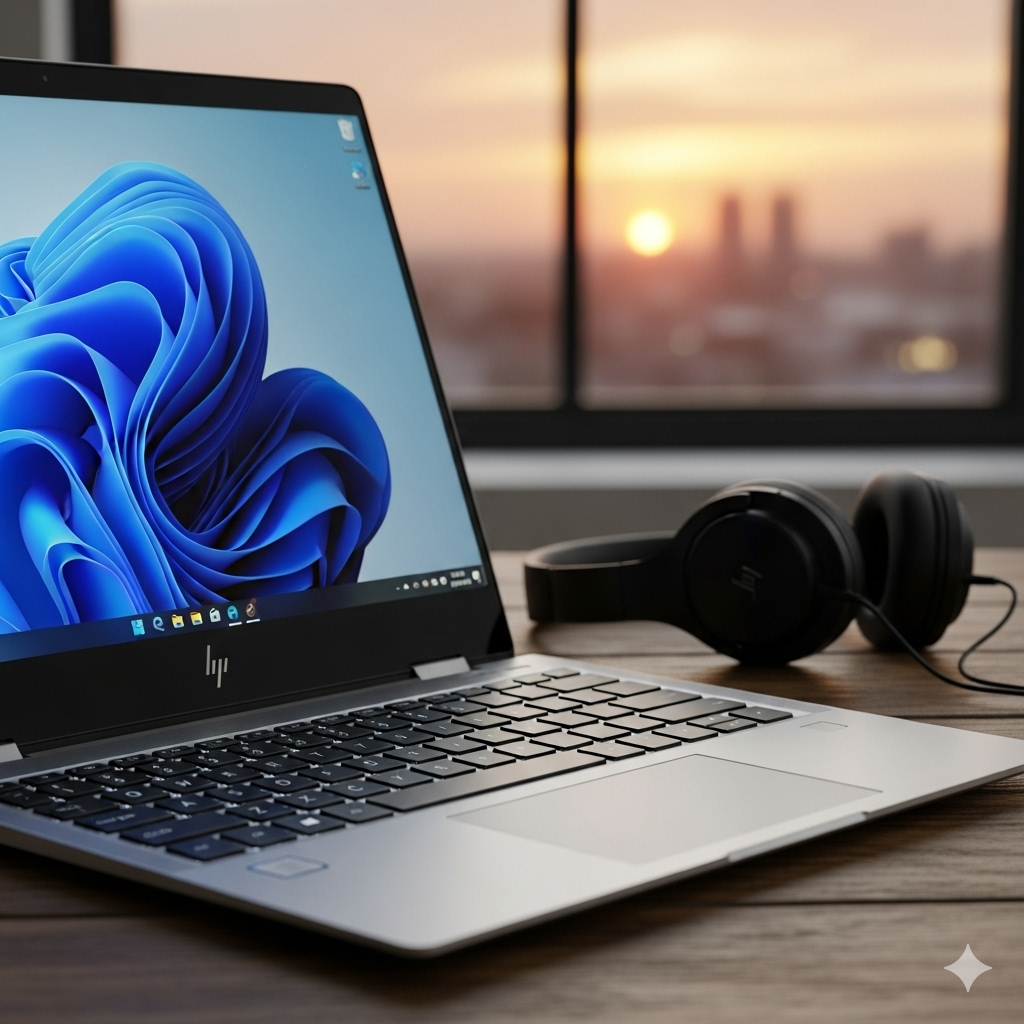
Intel Core Ultra 5, 14", 16 GB, 512 GB, Windows 11 Pro |
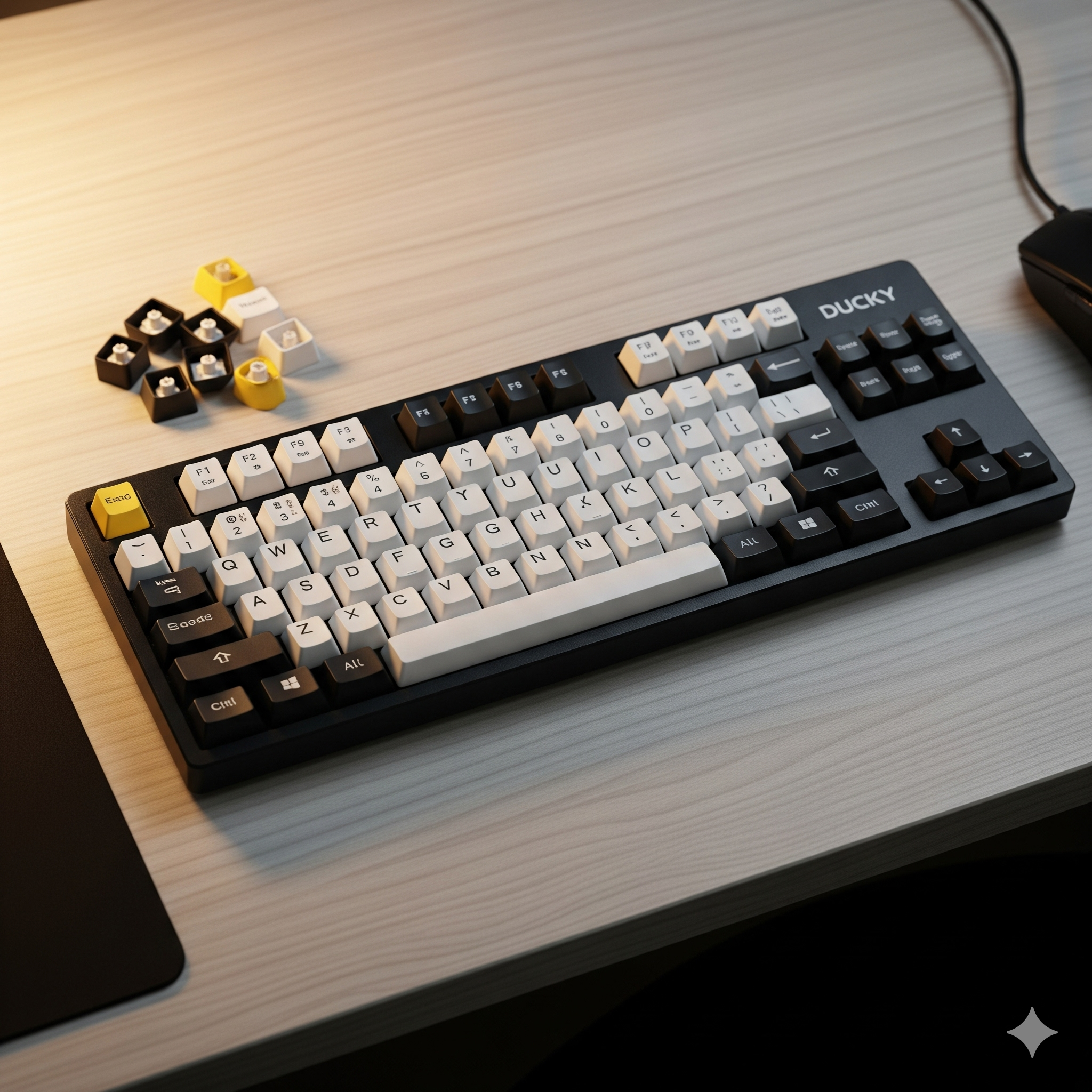
Full-size (100%), RF Wireless, Plunger, Black |
Ambidextrous,Optical,RF Wireless, 4000 DPI, Black |
|
|
USB Type-C, HDMI, Wi-Fi 6 |
USB Type-A |
RF Wireless (USB receiver) |
|
|
Full-size backlit keyboard with numeric keypad |
104 keys with dedicated media shortcuts |
3 buttons (left, right, scroll) |
Why Trincos
Trincos is where reliability meets performance. Whether you’re setting up a workspace or upgrading your setup, our products help you stay prepared for every project and performance goal.

Guarantee
Your satisfaction is our promise—every service comes with a 100% guarantee.
Security
We protect your data with advanced security measures you can trust.
Fast Service
Quick, efficient, and reliable solutions delivered right on time.
24/7 Support
Always here for you— anytime you need us.
Our Brands


Blog posts

Zero Trust Hardware Checklist for 100-Person Businesses (2026)
Zero Trust isn’t a product you buy. It’s an architecture you build — and it starts with the right hardware. Understanding Zero Trust at the Hardware Layer Most Zero Trust conversations focus on software — SSO, identity providers, policy engines — but the hardware underneath gets skipped. You cannot enforce Zero Trust purely in the cloud if your network still trusts devices by default. Zero Trust means never assuming a device or connection is safe just because it is already on your network: every access request is verified, every time. Your identity platform tells you who the user is; your hardware layer answers the harder question — can this device be trusted to reach that resource at all? Why Zero Trust Hardware Matters Today The device is the new perimeter. An unpatched endpoint is a threat regardless of where it sits, and a flat network lets one compromised laptop move laterally to everything. The hardware layer is what enforces policy at the edge, validates device posture, segments traffic, and replaces legacy VPN — it determines whether the architecture holds up under pressure. Why it matters: In 2026, most cyber-insurance carriers require MFA on privileged accounts, EDR on all endpoints, and network segmentation, and increasingly ask about ZTNA and hardware tokens. Documented proof of these controls can mean lower premiums or fewer exclusions at renewal. The Hardware Essentials and How to Get Them Right A 100-person business does not need a Fortune 500 stack — just the right five or six investments, in the right sequence, configured to talk to each other. 1. Identity-Aware Firewalls (NGFWs) A traditional firewall sees IP addresses and ports; a next-gen firewall ties traffic to actual user identities and application behavior, so a compromised device making unusual requests is caught even when the packets look clean. Why it matters: It moves policy from ports to people and apps — the foundation everything else builds on. Tips: Verify SSL/TLS inspection without throughput loss, application-layer policy, identity-provider integration (Entra ID, Okta), and built-in ZTNA. 2. ZTNA Gateways (Replacing VPN) A VPN grants network access — once connected, users sit on a flat segment where lateral movement is easy. ZTNA grants access to specific applications only, after verifying identity and device posture, so the user never touches your internal network. Replacing VPN with ZTNA is one of the highest leverage upgrades available to an SMB in 2026. Why it matters: A compromised device is blocked from sensitive apps even with valid credentials, because access is per-application, not per-network. Tips: Choose by ecosystem: Zscaler ZPA for SaaS-heavy estates, Palo Alto Prisma for unified Palo Alto policy, Cloudflare Access for fast, low-cost setup. 3. Hardware MFA Tokens SMS- and app-based MFA are still vulnerable to real-time phishing attacks that intercept one-time codes mid-session. FIDO2/WebAuthn hardware tokens are cryptographically bound to the domain, so a phishing site cannot replay the response. The YubiKey 5 is the safe default; the Bio series adds on-key fingerprint for shared devices; Feitian ePass is a cost-conscious bulk option. Why it matters: It eliminates the most common attack vector — credential phishing — without requiring major infrastructure changes. Tips: Deploy first to your highest-risk accounts (IT admins, finance, executives), then roll out to all staff; confirm IdP compatibility before bulk orders. 4. Network Access Control (NAC) Without NAC, a contractor’s personal laptop gets the same access as a fully managed machine. NAC enforces device posture at the point of entry, quarantining or blocking anything that fails policy. Cisco ISE is the market standard (heavy licensing at this scale); Aruba ClearPass suits Aruba estates; Forescout’s agentless discovery fits OT or IoT environments. Why it matters: It keeps untrusted devices off the network instead of trusting them by default. Tips: At 100 people, aim for 802.1X on wired and wireless, certificate-based auth for managed devices, and a guest VLAN with internet-only access. 5. Endpoint Security (EDR, TPM, and Secure Boot) Zero Trust assumes the network is hostile, including every device on it. Every company-owned device needs an EDR agent — CrowdStrike Falcon and SentinelOne are the common choices — and that agent should feed posture signals to your ZTNA gateway, so access tightens automatically if it is disabled. Why it matters: An unpatched or tampered endpoint is a threat wherever it sits, so device trust must be hardware-backed. Tips: For any 2026 hardware, make TPM 2.0 and Secure Boot non-negotiable in procurement (Windows 11 already requires TPM 2.0), and wire EDR posture into ZTNA access decisions. Examples: The Zero Trust Hardware Checklist This checklist maps each layer to the tool it needs and proven products at this scale. The final row, SASE/SSE, is the cloud-native alternative — worth it for remote-heavy, SaaS-first teams that want to retire appliance stacks, less so where substantial on-prem infrastructure remains. Layer Required Tool Example Products Perimeter & Network Next-Gen Firewall (NGFW) Fortinet FortiGate, Palo Alto PA-Series, SonicWall TZ Remote Access ZTNA Gateway Zscaler ZPA, Cloudflare Access, Palo Alto Prisma Identity Enforcement Hardware MFA Tokens YubiKey 5 Series, Feitian ePass Device Trust Endpoint Security Agent CrowdStrike Falcon, SentinelOne Network Segmentation NAC Solution Cisco ISE, Aruba ClearPass, Forescout SASE / Cloud-Native SSE Platform Zscaler ZIA, Netskope, Cato Networks Practical Tips: A Phased Rollout from Zero Not everything happens at once. This sequence is ordered by risk reduction per dollar spent. Phase 1 (0–3 months): deploy hardware MFA to admin and finance accounts, upgrade to an identity-aware NGFW, and confirm EDR on all managed endpoints. Phase 2 (3–9 months): replace VPN with ZTNA, implement NAC with 802.1X on wired and wireless, and segment the network into guest, corporate, and server VLANs. Phase 3 (9–18 months): evaluate SASE/SSE consolidation for a mostly remote workforce, roll out hardware MFA to all staff, and connect EDR posture data to ZTNA access decisions. Frequently Asked Questions About Zero Trust Hardware What is the most important hardware upgrade for Zero Trust in a 100-person business? Hardware MFA tokens — YubiKey or Feitian — on admin, finance, and executive accounts. They eliminate the most common attack vector immediately, with no major infrastructure change. Can a small business implement Zero Trust without replacing all existing hardware? Yes. Start with policy changes on existing hardware — 802.1X on current switches, EDR on existing endpoints, ZTNA layered over your existing firewall. A full refresh is the goal, not the starting point. How does ZTNA differ from a traditional VPN for a 100-person team? A VPN grants broad network access once connected. ZTNA grants access to specific applications only, after verifying identity and device health — so a compromised device is blocked from sensitive apps even with valid credentials. Is SASE worth the cost for an SMB in 2026? For remote-heavy, SaaS-first teams, yes — it simplifies the stack and cuts appliance overhead. With substantial on-prem infrastructure, a hybrid of on-prem NGFW plus cloud ZTNA usually makes more economic sense. What Zero Trust hardware controls do cyber-insurance carriers typically require? MFA on privileged accounts, EDR on all endpoints, and network segmentation are now standard. ZTNA and hardware-token deployment increasingly appear in underwriting questionnaires for financial, healthcare, and legal firms.
Read more
Post-Quantum VPN Migration: A 2026 Playbook
Your VPN is safe today. The real question is whether the data you sent today will still be safe in 10 years. Understanding Post-Quantum VPN Migration Quantum computers will not break your VPN this year, but the choices you make this year decide whether your traffic stays private a decade from now. In 2024, NIST finalized the first encryption standards against quantum attacks; the job for 2026 is to start moving your VPNs onto them. This is now an engineering task, not research. Why This Is 2026 Work, Not 2029 Work The instinct is to wait. A quantum computer powerful enough to break today’s encryption — a cryptographically relevant quantum computer (CRQC) — probably does not exist yet; most forecasts point to the 2030s. But the clock that matters are not when the machine arrives; it is how long your data must stay secret plus how long your migration takes. Mosca’s rule: You are already exposed if data shelf-life + migration time is greater than the years until a quantum computer can break today’s encryption. Data must stay private for 10 years. Migration takes 3 years — that is 13 years of exposure. If a capable machine is even 12 years away, today’s data is already at risk. Why it matters: For most enterprises, the comfortable margin disappears once you run that sum honestly, which is why serious teams treat 2026 as a starting line. The Building Blocks: What to Understand Before You Buy Three things decide how well your migration goes: the standards you target, how you deploy them, and the threat you face. Get them right before you buy them. 1. The NIST Standards You’re Migrating To Post-quantum cryptography had not agreed-upon winners until August 2024, when NIST published three finalized standards. Vendors will not ship in volume without a standard to build against, so this unlocked real products. Standard What it does Why it matters FIPS 203 — ML-KEM (Kyber) Agrees a shared secret at the start of a connection. The one that matters most for VPNs — it secures the handshake. FIPS 204 — ML-DSA (Dilithium) Creates digital signatures. Proves identity and signs software. FIPS 205 — SLH-DSA (SPHINCS+) A backup signature method, different design. Adds resilience and a second quantum-safe option. In plain terms, every VPN connection starts with a handshake where both sides agree on a shared secret. Today, that relies on elliptic-curve maths, a quantum computer could one day break; ML-KEM does the same job with lattice maths, and quantum computers are not known to crack. Why it matters: ML-KEM (FIPS 203) secures the handshake, the part of a VPN most exposed to a future quantum attack. When a vendor says ‘PQ-ready,’ they almost always mean ML-KEM here. Tips: Focus on vendor questions on ML-KEM support in the key exchange, not generic ‘quantum-safe’ labels. 2. Hybrid Key Exchange — the Safe Way to Move The new algorithms are young; nobody wants to bet the whole network on a method standardized a year or two ago. The fix is hybrid key exchange: run the trusted classical method and the new post-quantum method together, combining them into the connection key, which stays secure as long as either one holds. Approach Best use Verdict Classical only Short-term, legacy links only. Stop deploying for long-lived data. Hybrid (classical + PQ) Best for most organizations today. Recommended path from NIST and the NSA. Post-quantum only Mature environments, later. Wait until the algorithms have more mileage. Why it matters: Hybrid is the recommended path from NIST and the NSA, not a temporary hack — it removes the risk if the new algorithm has a flaw. Tips: For IPsec VPNs, the building blocks are IKEv2 extensions (RFC 9370 and RFC 8784); ask specifically for hybrid support, not just ‘post-quantum.’ 3. Harvest Now, Decrypt Later Harvest now, decrypt later (HNDL) is the threat that makes this urgent. An attacker does not need a quantum computer today: they record your encrypted traffic now and decrypt the archive once a capable machine exists. Nation-state actors are assumed to be doing this already. Why it matters: The real question is not ‘years until quantum arrives’ but ‘is this data still sensitive when it does?’ — usually yes for intellectual property, health records, and financial or legal material. Tips: Rule of thumb: if your data must stay secret past roughly 2032, the traffic you send today should already be moving to post-quantum protection. Examples: VPN Platforms and Where They Stand The picture is uneven — some vendors ship usable support today, others are mid-rollout, and one popular protocol cannot add it easily. Treat it as a planning snapshot and confirm exact firmware versions. Platform PQ-ready today? How it works What to check Fortinet FortiGate Yes (FortiOS 7.4+) Hybrid IKEv2 with ML-KEM on IPsec tunnels. Confirm the build; enable PQ groups on both ends. Cisco (IOS XE / Secure Firewall) Partial — rolling out Hybrid and PQ key exchange in recent releases; varies by platform. Check release notes for your model and image. OpenVPN Yes, via TLS stack Inherits PQ hybrid groups from a modern OpenSSL 3.x build. Verify the OpenSSL version and hybrid group negotiation. WireGuard Not natively Fixed cipher suite; add PQ via an overlay such as Rosenpass. Plan for a wrapper or successor protocol, not a firmware flag. In short: FortiGate and OpenVPN are usable today; Cisco is mid-rollout, and WireGuard needs an overlay such as Rosenpass rather than a firmware flag. Practical Tips: What to Specify on Your Next Refresh You will not rip out working VPN gear early. Bake post-quantum readiness into the hardware you were going to buy anyway, and put these into your next RFP: Requirement What to ask for Crypto-agility Algorithms added or changed via firmware, no new hardware — the single most important property. Hybrid ML-KEM key exchange Hybrid PQ support on your VPN protocol (IKEv2 / IPsec), with ML-KEM named explicitly. Clear firmware update path A vendor commitment to PQ updates for the device’s full-service life — and confirm how long that is. FIPS-validated implementation Validation against the new standards (FIPS 203 and related), not just a ‘quantum-safe’ claim. Interoperability A hybrid mode that negotiates with your other vendors, or a plan to upgrade tunnels together. Stop buying gear that cannot be upgraded in firmware. Prioritize the tunnels carrying your longest-lived secrets. Make hybrid post-quantum support a line item on your next refresh. Frequently Asked Questions About post-quantum VPN migration Do I need to replace my VPN hardware right now? Not necessarily. The priority is to stop buying gear that cannot be upgraded and to protect your longest-lived secrets first. Is post-quantum encryption slower than what I use now? Only slightly. Hybrid adds a small overhead at connection setup, not on every packet, and is unnoticeable on the vast majority of enterprise links. What is the difference between ‘post-quantum’ and ‘hybrid’? Post-quantum refers to using a quantum-resistant algorithm, such as ML-KEM. Hybrid runs that alongside the trusted classical method, combining both, is the safest way to deploy today. When will quantum computers actually break current encryption? No one knows for certain; most estimates point to the 2030s. Because of harvest-now-decrypt-later, the question that matters is how long your data must stay secret. What does NIST’s timeline mean for me? NIST has signaled that older public-key algorithms will be deprecated around 2030 and disallowed by 2035. Treat that as the outer deadline and work back from your data’s shelf-life.
Read more
Why 50kW AI Racks Are Reshaping Modern Data Centres
AI infrastructure has officially outgrown traditional data centres. Understanding the AI Rack Power Shift Artificial intelligence is evolving faster than most enterprise data centers were designed to handle. A few years ago, traditional server environments ran comfortably on standard power and cooling. That has changed completely. Modern AI racks powered by NVIDIA H100, B200, and Blackwell GPUs can draw 50kW to 120kW per rack — a density that pushes conventional air cooling far beyond its limits. The challenge is no longer just buying powerful GPUs; it is building an environment that can support them safely and efficiently. Why Traditional 30kW Racks Are No Longer Enough For years, enterprise racks ran in predictable ranges — 8–15kW for standard workloads, 20–25kW for high-performance computing — where air cooling worked fine. AI changed that. A single NVIDIA H100 draws around 700W, and an 8-GPU server easily pulls 10–12kW before CPUs, memory, storage, and networking. Multiply that across a rack and facilities are suddenly handling 50kW+ densities. When cooling cannot keep up the consequences arrive fast: GPU temperature spikes, thermal throttling, reduced training performance, shortened hardware life, and rising costs. AI infrastructure planning is no longer just an IT responsibility — it is a facility-engineering challenge spanning power, cooling, airflow, and structure. The Facility Challenges AI Racks Create and How to Plan for Them Rack Type Average Power Density Cooling Status Standard Enterprise Rack 8kW Air cooling works efficiently Dense Enterprise Rack 14kW Still manageable with CRAH units Traditional Air-Cooled Limit 30kW Maximum practical limit AI Inference Rack (H100) 50kW Liquid cooling required AI Training Rack (B200/GB200) 80–120kW+ Mandatory liquid cooling Supporting AI density comes down to five facility challenges. Get each right before deployment, not after. 1. Power Density (50kW+ per Rack) AI servers pack enormous compute into compact spaces, so racks that once topped out at 30kW now run at 50kW and beyond. Why it matters: It pushes air-cooled, single-feed designs past their practical limits. Tips: Plan rack layouts around real per-rack kW, not server counts. 2. Power Distribution (3-Phase Becomes Standard) Traditional PDUs were never built for ultra-dense GPU clusters. A single-phase 32A PDU at 230V delivers only about 7.4kW — not even enough for one modern AI server. The industry is moving to 3-phase 63A PDUs with dual-feed redundancy and intelligent monitoring, and large training clusters increasingly use 125A 3-phase. Why it matters: Underestimating power delivery is one of the most common AI-deployment mistakes. Tips: Specify 3-phase monitored PDUs with dual feeds, and size for continuous high-density load, not peak. 3. Cooling (Air Hits a Physical Limit) CRAH and CRAC units move cold air through racks, but past roughly 30kW, airflow cannot remove heat fast enough — hotspots form, efficiency drops, and energy use climbs. Liquid cooling is now the preferred route for next-generation AI. Why it matters: Above 50kW, liquid cooling is effectively mandatory. Tips: Match the cooling method to density — see the three options below. 4. Rack Weight (The Hidden Structural Risk) Traditional racks weigh 1,000–1,400kg fully loaded; AI GPU racks can exceed 2,000–2,200kg. Many older raised-floor environments were never engineered for that concentration, and skipping a structural check leads to costly reinforcement, delays, and safety risk. Why it matters: Floor-load problems surface late and are expensive to fix. Tips: Before deployment, verify floor-load certifications, rack placement, cooling-pipe routing, and cable-tray support. 5. Networking (Ultra-Low Latency) AI clusters constantly move huge volumes of data between GPUs, storage, and compute nodes, and even small delays cut training efficiency. Modern environments rely on NVIDIA InfiniBand, 400Gb Ethernet, and high-speed optical interconnects; copper DAC struggles at ultra-high speeds and longer distances. Why it matters: Networking directly affects GPU utilization, not just connectivity. Tips: Use InfiniBand for low-latency training and 400Gb Ethernet for scalable inference; move to optical for scale and distance. Examples: AI Cooling Systems and Where They Fit Once density passes the air-cooling limit, organizations typically choose between three liquid approaches by scale and goals. Rear Door Heat Exchangers (RDHx) Replace the rear rack door with a chilled-water exchanger that absorbs heat before it enters the room — often the first step away from traditional cooling. Best for: Existing data-center retrofits and medium-density AI. Key advantages: Easy deployment, minimal redesign, supports racks up to 60kW. Limitation: Less efficient than direct liquid cooling. Direct-to-Chip Liquid Cooling (DTC) Sends coolant directly to GPU and CPU cold plates, removing heat at the source — the emerging default for enterprise AI training. Best for: New AI deployments and high-density GPU clusters. Key advantages: Supports 100kW+ racks, excellent thermal efficiency, lower PUE. Limitation: Higher upfront investment. Immersion Cooling Submerges servers in dielectric fluid that absorbs heat directly from the hardware — the high-density frontier. Best for: Ultra-high-density clusters and greenfield AI facilities. Key advantages: Extremely low PUE, exceptional performance, supports 200kW+ environments. Limitation: Requires major facility redesign. Practical Tips: Future-Proofing Your AI Infrastructure AI hardware cycles move fast — a rack built for today’s GPUs may struggle with next-generation accelerators within a few years. Plan for flexibility and scalability, not just the current deployment. Overprovision power — leave at least 25% headroom for future GPU upgrades. Design cooling around total heat load (kW, coolant temperature, flow rate), not specific servers. Plan for GPU repurposing — older training GPUs often move to inference later, protecting investment value. Frequently Asked Questions About AI Rack Infrastructure What is the maximum power density for air-cooled racks? Most air-cooled environments realistically max out between 25kW and 30kW per rack. Is liquid cooling mandatory for AI infrastructure? For modern GPU clusters operating above 50kW densities, liquid cooling is becoming essential. What is the best cooling method for AI data centres? It depends on goals: RDHx for retrofits, direct-to-chip for high-density enterprise AI, and immersion for ultra-scale environments. Why is rack weight important in AI deployments? AI GPU servers are far heavier than traditional hardware and can exceed raised-floor structural limits, so a structural check matters before deployment. What networking technology is best for AI clusters? InfiniBand is widely used for ultra-low-latency AI training, while 400Gb Ethernet is increasingly popular for scalable inference environments.
Read more


